
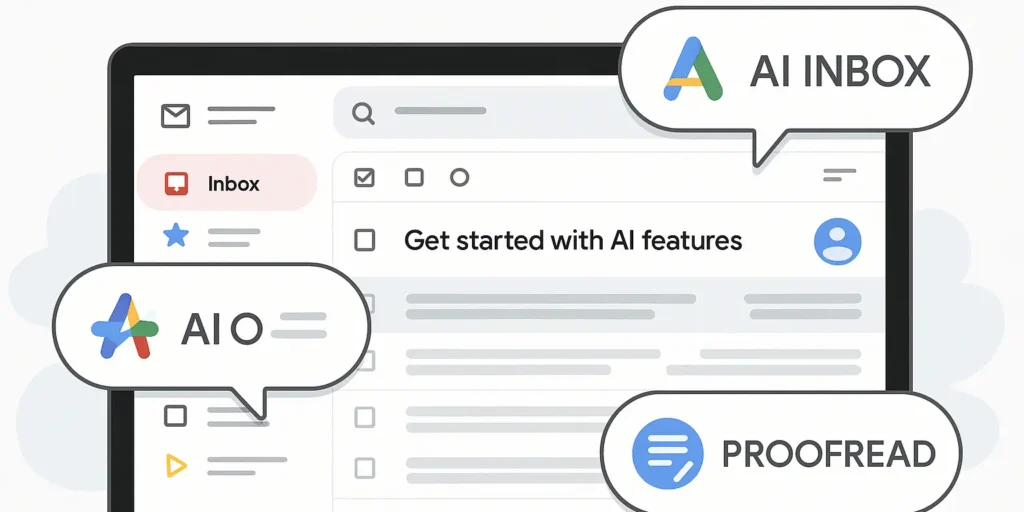
Google’s latest Gmail update adds smarter inbox organization, improved search, and built-in writing assistance.
Google has announced a set of new updates for Gmail that aim to make email easier to manage and faster to use. The focus is on helping users deal with crowded inboxes, find old emails quickly, and write clearer messages without relying on third-party tools. These changes are being introduced gradually and are part of Google’s broader effort to make Gmail more helpful in everyday work.
A New Way to View Your Inbox
The biggest update is the new AI Inbox. This is an optional view that sits alongside the regular inbox rather than replacing it. Users can switch it on when they want extra help sorting through emails. The AI Inbox highlights what Gmail thinks matters most at any given time. It breaks this information into two main sections.
The first section focuses on suggested to-dos. These are short summaries of tasks pulled from important emails, such as bill payment reminders, meeting follow-ups, or time-sensitive requests. Instead of opening each message, users can quickly see what action is needed.
The second section groups topics to catch up on. Emails are organized under clear labels like Purchases or Finances. For example, delivery updates, order confirmations, or bank alerts are shown together, making it easier to track updates without scanning dozens of messages.
Google says the goal is to help users stay on top of their inbox without feeling overwhelmed. The standard inbox remains unchanged, and users are free to choose which view works best for them. For now, the AI Inbox is only available to trusted testers, but Google plans to expand access in the coming months.
Searching Email With Plain Language
Another major change comes to Gmail’s search function. Instead of typing exact keywords or sender names, users can now ask questions in normal language. For example, someone can ask who sent a quote for a home repair last year or look for details from a past conversation without remembering specific words. Gmail will scan relevant emails and show a summary with key details at the top of the results.
This feature is similar to how Google Search now works, but in Gmail, it only uses information from the user’s own inbox. It does not pull in outside data. The idea is to save time and remove the need to dig through long email threads. AI Overviews for search are being rolled out to Google AI Pro and Ultra subscribers. At the same time, Gmail is making conversation summaries for long email threads available to all users, starting immediately.
Built-In Proofreading for Clearer Emails
Google is also adding a new Proofread feature to Gmail. This tool reviews drafts and suggests improvements to grammar, tone, clarity, and sentence structure. It catches common mistakes and rewrites awkward phrases into simpler, more natural wording. For example, confusing word choices or overly complex sentences are flagged and corrected. The aim is to help users sound more professional and confident without spending extra time editing.
This feature puts Gmail in direct competition with tools like Grammarly. Proofreading is available to Google AI Pro and Ultra subscribers. Other writing tools, such as Help Me Write and Suggested Replies, are being rolled out to all users. Help Me Write can create a full draft from a short instruction, while Suggested Replies offer quick response options that match the user’s writing style.
What These Changes Mean for Marketers
These updates affect more than just individual users. Marketers, communicators, and business teams will also feel the impact. First, summaries will shape how emails are read. If recipients rely on highlights instead of full messages, the opening lines become even more important. Clear subject lines, short paragraphs, and simple formatting will help key points stand out.
Second, built-in proofreading raises expectations. With editing tools available inside Gmail, poorly written emails will stand out more. Teams may need to adjust workflows and review processes, especially for important outreach or media pitches. Third, email search becomes more powerful. Older messages and campaign discussions can now be found quickly using simple questions. This makes past conversations more useful and easier to reference.
Finally, some third-party tools may become less necessary. As Gmail adds features that once required separate apps, companies may want to review which tools still provide real value.
A Shift in How the Inbox Is Used
These updates show that Gmail is moving beyond being just a place to store messages. It is becoming a more active workspace that helps users decide what to do, write better emails, and find information faster. For marketers and professionals, the message is straightforward.
These tools can save time and improve efficiency, but they also make clarity and intent more important than ever. The teams that succeed will be those that use automation wisely while keeping communication clear, honest, and human.
About The Author