
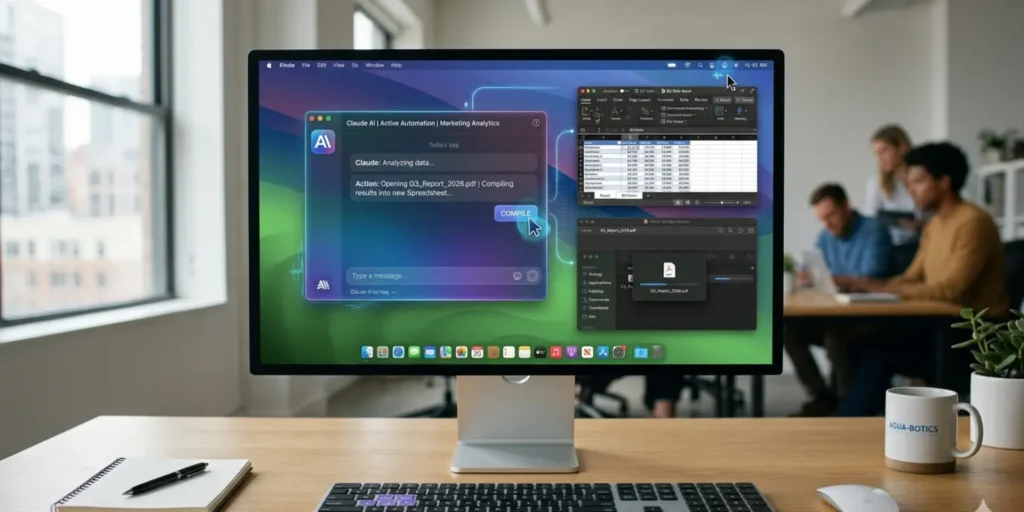
Claude AI autonomously performing tasks on a Mac, opening applications, clicking buttons, and automating workflows with visual indicators.
Anthropic, the AI research startup behind the Claude AI family of assistants, has unveiled a notable update that brings autonomous computer-use capabilities to macOS desktops. With the latest release of Claude Code and Claude Cowork, users can now assign tasks to Claude that involve direct interaction with applications, files, and even browser-based workflows. In essence, the AI can now open apps, click buttons, and execute multi-step processes without human intervention. While this development pushes the envelope of AI-human collaboration, Anthropic cautions that significant risks remain and recommends careful use.
This advancement represents a new frontier in AI productivity tools. Unlike traditional chat-based assistants that generate text, respond to queries, or automate simple software tasks, Claude now operates as an autonomous digital agent, capable of performing real actions on a user’s computer. It bridges the gap between conceptual instruction and real-world execution, potentially saving users hours of repetitive work, but also raising questions about security, privacy, and reliability.
How Claude’s Computer Use Works
Claude’s new capability relies on two primary operational modes to complete user-assigned tasks:
- Direct Integrations: Claude first attempts to complete a task through its pre-existing connectors to services such as Slack, Gmail, and other supported apps. This method is the fastest and most reliable because the AI communicates directly with the target service’s API. For example, if asked to summarize unread emails, Claude can pull data directly from Gmail without navigating a user interface.
- Screen and Input Control: When no direct connector is available, Claude can take control of your desktop interface. This includes your browser, mouse, keyboard, and application windows, allowing it to interact with apps visually. Claude can scroll through spreadsheets, click buttons, open files, and navigate menus, executing tasks that previously would have required human input.
This combination of integration and visual control allows Claude to handle a wide variety of workflows. Some practical applications include:
- Automatically summarizing and organizing your emails each morning
- Compiling metrics from multiple spreadsheets into a single, formatted report
- Opening pull requests, reviewing code, and making minor edits in development environments
- Conducting research across multiple apps or websites
- Performing repetitive tasks in creative software, such as renaming files or applying consistent formatting
Paired with Dispatch, a companion feature in Claude Cowork that allows users to assign tasks from their phone, these capabilities enable a fully asynchronous workflow. Users can set Claude to perform a task from a mobile device and later check the results on their desktop, freeing time and reducing the need for constant manual supervision.
Security and Privacy Safeguards
Anthropic recognizes the risks inherent in granting an AI control over a user’s computer. To address these concerns, the company has implemented multiple layers of safeguards:
- Permission Requests: Claude requests user approval before accessing each application. Sensitive apps, such as banking or medical software, are blocklisted by default, and users have the option to extend or modify this list.
- Prompt Injection Protection: The system monitors for malicious inputs that might attempt to manipulate Claude into performing unintended actions.
- Trained Safety Protocols: Claude is designed to avoid high-risk actions such as transferring funds, entering sensitive data, deleting files, or capturing images from webcams.
- Sensitive Data Exclusion: Passwords, personal health data, and other confidential information are automatically excluded from Claude’s memory.
Despite these protections, there are still residual risks. When interacting with apps through screen control, Claude takes screenshots to track task execution. Any sensitive information visible on-screen could theoretically be exposed. Users are advised to close confidential documents and deny access to sensitive apps during task execution. Additionally, complex workflows with multiple interdependent steps may fail or require retries, meaning Claude is best suited for low-risk, repetitive, or organizational tasks at this stage.
Limitations of the Feature
Claude’s computer-use capabilities are currently in research preview, reflecting Anthropic’s cautious rollout approach. The feature is available only for:
- Claude Pro and Claude Max subscribers
- macOS devices
- Not available for Team or Enterprise plans
Some limitations and considerations include:
- Performance Variability: Tasks performed via visual screen interactions are slower and more error-prone than those executed through direct integrations.
- Scope Restrictions: Claude’s ability to use apps autonomously is limited to the apps installed and accessible on your macOS system.
- Early-stage Reliability: Users may encounter occasional failures or unexpected behavior. Anthropic emphasizes that the system “won’t always work perfectly” and may require multiple attempts for complex tasks.
By releasing the feature in a research-focused preview, Anthropic aims to gather real-world feedback, identify failure points, and further refine both the reliability and security of Claude’s autonomous capabilities.
Implications for Productivity
Claude’s ability to autonomously execute desktop tasks marks a significant shift in AI-human interaction. Traditional AI assistants primarily generate suggestions or text-based outputs, leaving humans to act on them. With Claude, AI now becomes an active participant in workflow execution.
Potential productivity gains include:
- Time Savings: Automating routine tasks such as sorting emails, consolidating reports, or performing research can free up hours for higher-value work.
- Cross-Platform Integration: Through Dispatch and app connectors, Claude can operate across multiple devices, creating a seamless workflow between mobile and desktop environments.
- Reduction in Human Error: Repetitive tasks that are prone to mistakes when performed manually—such as entering data into multiple spreadsheets—can now be handled more consistently.
This new level of agentic AI—AI that acts autonomously under guidance—also introduces a novel paradigm for computing. Unlike traditional software that waits for explicit commands, Claude can anticipate necessary steps to complete a task efficiently, making AI more proactive than reactive.
Security and Ethical Considerations
While the productivity benefits are clear, the introduction of autonomous desktop control raises ethical and security questions. Users must remain vigilant to protect sensitive information:
- Screen Exposure: Because Claude captures screenshots during task execution, confidential data visible on the screen could potentially be exposed.
- Task Scope Awareness: Users should avoid assigning tasks that involve financial transactions, sensitive legal documents, or personal health records.
- Prompt Precision: Ambiguous or poorly-worded instructions can lead to unintended actions, especially when tasks involve multi-step processes across apps.
Anthropic’s guidance reflects a cautious approach: start small, assign low-risk tasks, and gradually expand usage as comfort and confidence grow. Over time, as security measures improve and integrations expand, Claude will likely handle increasingly complex workflows safely.
Claude vs. Competitors
Claude’s new capabilities place it in direct comparison with other AI tools that offer task automation:
- ChatGPT with Code Interpreter: ChatGPT’s Code Interpreter can execute Python scripts, manipulate data, and generate results, but it cannot autonomously interact with desktop apps or click buttons. Claude’s screen-control and app integration capabilities give it a more hands-on role in a user’s environment.
- Microsoft Copilot in Office: Microsoft’s Copilot integrates AI into Office apps like Word and Excel, enabling automation of document creation, data analysis, and workflow suggestions. Claude differs by being platform-agnostic and capable of controlling any desktop application, not just Office software.
- Google Gemini & Bard: While Google’s AI tools can integrate with cloud-based apps and offer suggestions, they do not have full autonomous control over a user’s local desktop.
The distinction is critical: Claude operates as an active agent, bridging AI reasoning and physical interaction with the user’s computing environment—a significant leap in practical AI deployment.
The Road Ahead
Anthropic is clear that Claude’s autonomous computer use is just the beginning. Future improvements may include:
- Expanded App Integrations: More native connectors to reduce reliance on slower screen control methods.
- Enhanced Security Protocols: Continuous monitoring, improved prompt-injection prevention, and sandboxed execution environments.
- Cross-Platform Capabilities: Potential future support for Windows or Linux systems, expanding the reach of autonomous AI workflows.
- Higher Reliability for Complex Tasks: As machine learning models improve and more real-world data is collected, Claude may be able to handle multi-step, interdependent tasks with minimal human oversight.
The ultimate goal is to create AI that can assist users seamlessly, reducing friction between instructions and execution while maintaining safety and privacy.
Key Takeaways
- Claude on macOS can now autonomously control apps, files, and browser-based tasks, marking a major step toward agentic AI.
- Dual operational modes—direct integrations and screen/control input—allow Claude to execute tasks even when connectors are unavailable.
- Security measures exist, but users must remain vigilant, particularly regarding sensitive data and complex workflows.
- Research preview status emphasizes that Claude is still experimental; early adoption should focus on low-risk automation.
- Productivity gains are tangible, but must be weighed against potential privacy and reliability issues.
- Claude sets a new benchmark for AI as an autonomous productivity agent, going beyond text generation to real-world task execution.
Conclusion
Anthropic’s Claude represents a new era in AI-driven productivity, one where AI no longer merely suggests actions but takes concrete steps on your behalf. From automatically managing emails to compiling complex reports and executing cross-app workflows, Claude demonstrates the practical potential of AI as a true digital assistant.
However, with great power comes great responsibility. Users must remain aware of privacy risks, potential errors, and the limitations of early-stage technology. The careful combination of human oversight and autonomous AI execution may well define the next generation of workplace productivity tools.
As Claude evolves, its ability to safely, efficiently, and intelligently interact with desktop environments could redefine the boundaries of personal and professional computing. For now, the research preview offers a glimpse of what is possible—and a reminder that even as AI becomes more capable, thoughtful adoption is key.
About The Author